
Discord Linking
The first time you join, you do not land in YidCraft straight away. You land in a small waiting room with a parkour course. You stay there until your Minecraft account is linked to your Discord account. It only takes a minute.
When you arrive, a menu opens with four cards: Link Discord, About YidCraft, Rules and Tutorial. Click a card to open it. Your link code is in chat behind the menu: close it with Play parkour (or Escape) to see your code. /welcome opens the menu again.
Link your account
Section titled “Link your account”-
Join our Discord.
You must be in our Discord server, and stay in it, to play. Join here: discord.gg/yVacYbMEqH
-
Join the server and find your code.
Join
yidcraft.jewishgaming.net(see How to join). A short code appears in your chat. Keep it.Lost it, or it expired? Leave and join again, and a new code appears.
-
Send the code, one of two ways.
Way 1: send a DM to our bot. The bot is called Yid Craft. Open a DM with it and send just the code, nothing else.
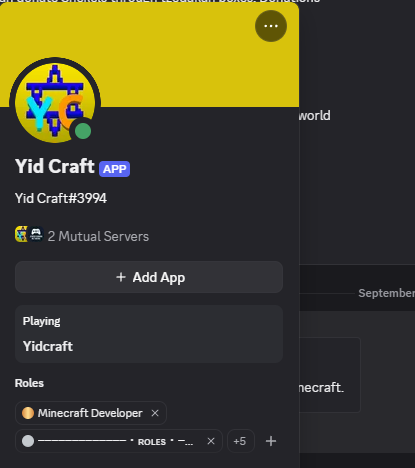
To find the bot, look for Yid Craft in the member list of our Discord. Or paste this in any Discord chat, click the name it turns into, and choose Message:
<@1490778291467063368>Way 2: the Link Account button. Open the link channel and click Link Account. The bot asks for your code: type it in that channel within 60 seconds.

-
Come in.
When the bot says your account is linked, leave and join again. You go straight to YidCraft.
While you wait
Section titled “While you wait”Three people in the waiting room are glad to talk to you. Right click any of them.
- Reb Shimon the Shamash greets you when you arrive and walks you through linking your account.
- Reb Tuvia runs the tutorial. Click him, or the Tutorial card, and he takes you to his island to learn everything, right there while you wait.
- Ari, Reb Tuvia’s talmid, has a short guide to the world: Shekels, kosher food and brachos, your home and mezuzah, sefarim and skills, the town and its bosses, and Shabbos.
Next to Ari is a row of real YidCraft items, turning slowly, so you know them when you see them: a mezuzah, a sefer, a shechita knife, challah, a Gold Shekel and a kippah.
Do the tutorial while you wait
Section titled “Do the tutorial while you wait”Click the Tutorial card, or Reb Tuvia himself. His tutorial teaches everything in short scenes, and the waiting room is the perfect time for it. Type /tutorial leave, or walk through the stone arch past him, to come back. Once you are in YidCraft, you can find him again by the fountain at spawn.
On Bedrock
Section titled “On Bedrock”Everything works the same. The menu is a window with four buttons, the guides show their pages in a window too, and links are written out in brackets so you can type them. Your name in game starts with a dot, like .YourName. More on Playing on Bedrock.
Common questions
Section titled “Common questions”The bot says my code is invalid or expired.
Section titled “The bot says my code is invalid or expired.”Codes only last a short while. Leave the server and join again for a new code, then send that one.
I linked, but I am still in the waiting room.
Section titled “I linked, but I am still in the waiting room.”Leave and join again. Linking does not move you by itself.
I left the Discord and now I cannot play.
Section titled “I left the Discord and now I cannot play.”You must stay in our Discord to play. Join it again, then rejoin the server.